
Explorer filters: Researchers
The Researcher Search feature within Altmetric Explorer allows you to find specific researchers and view the aggregated attention for all their publications. It was developed in response to a long-standing user request for researcher-level analytics, helping you save time and effort by automating the process of gathering metrics.
This powerful tool provides a holistic view of a researcher's collective impact over time, complementing our existing output-centric analysis. By offering a comprehensive overview, it goes beyond traditional citations to show a researcher's broader influence.
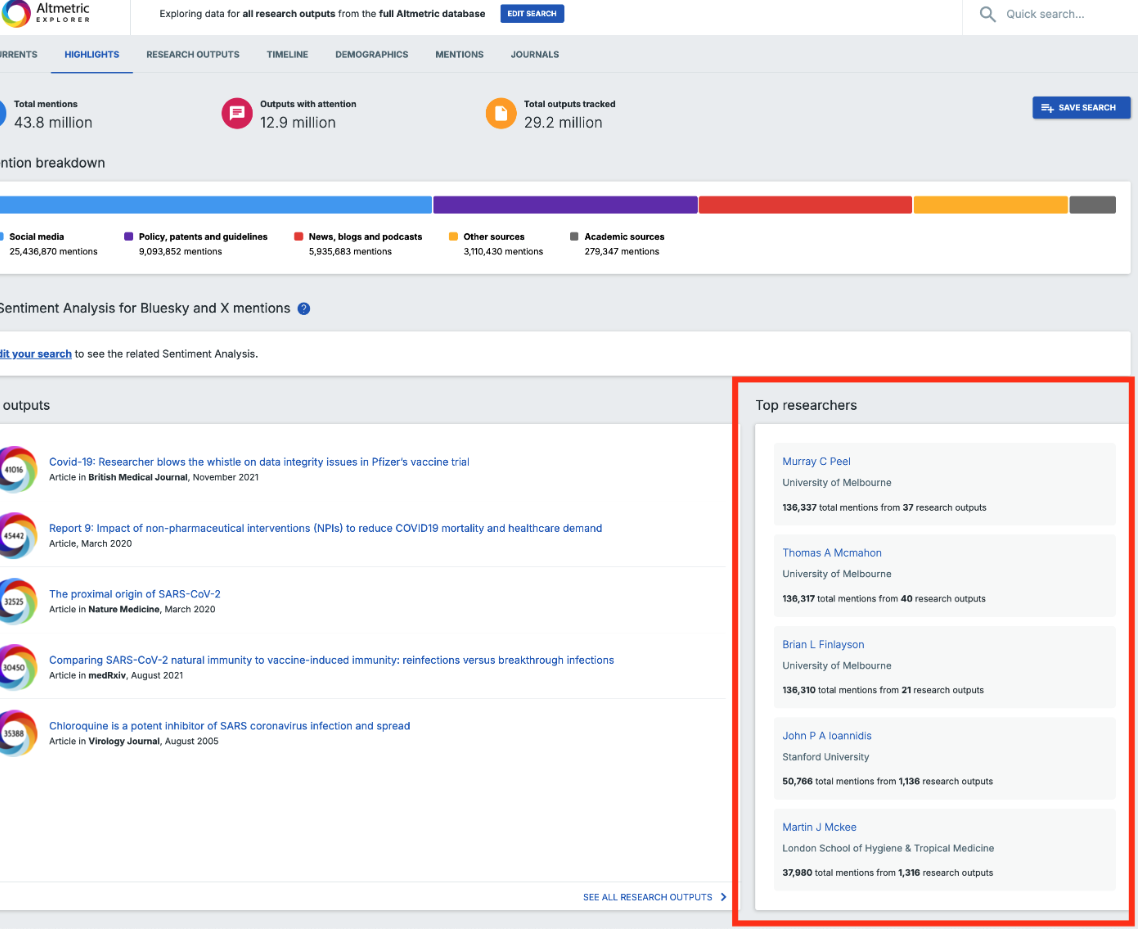
The feature also includes a new "Top Researchers" section on the Highlights page, which displays researchers with the most mentions that match your search query. The ability to track a researcher’s full body of work is particularly valuable for making strategic decisions, such as identifying key opinion leaders (KOLs), evaluating candidates for promotion, or finding new collaborators.
Data Source
The Researcher Search uses author data from Dimensions to connect researchers to their papers, ensuring a high degree of accuracy. When searching for a researcher, you'll be able to view their Dimensions Profile to easily distinguish between individuals with the same name. Dimensions' robust identification and disambiguation protocols provides reliable data for this feature.
Searching by Researcher
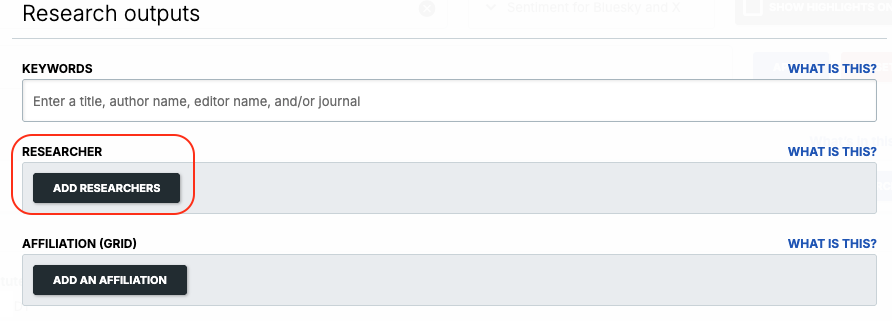
You can find the search option within the Advanced Search section of Altmetric Explorer:
and in the Quick Search bar:
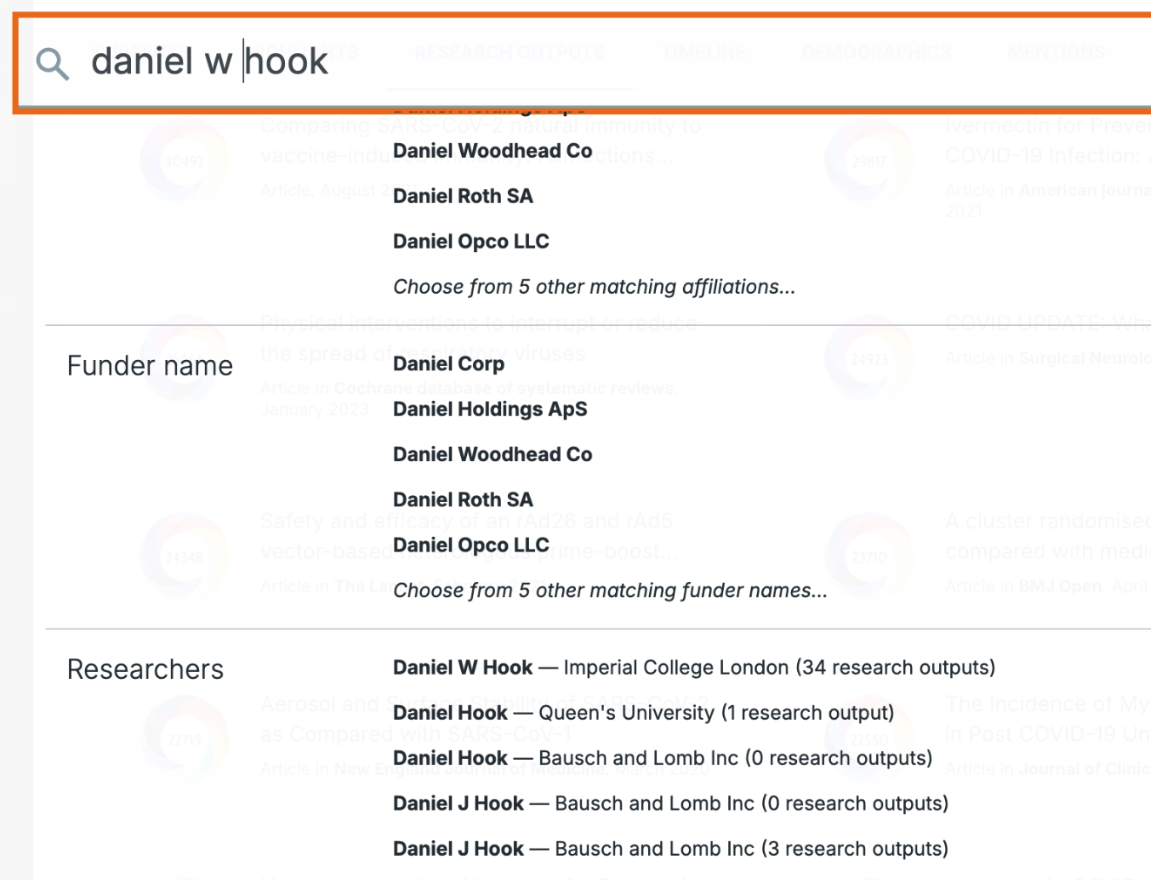
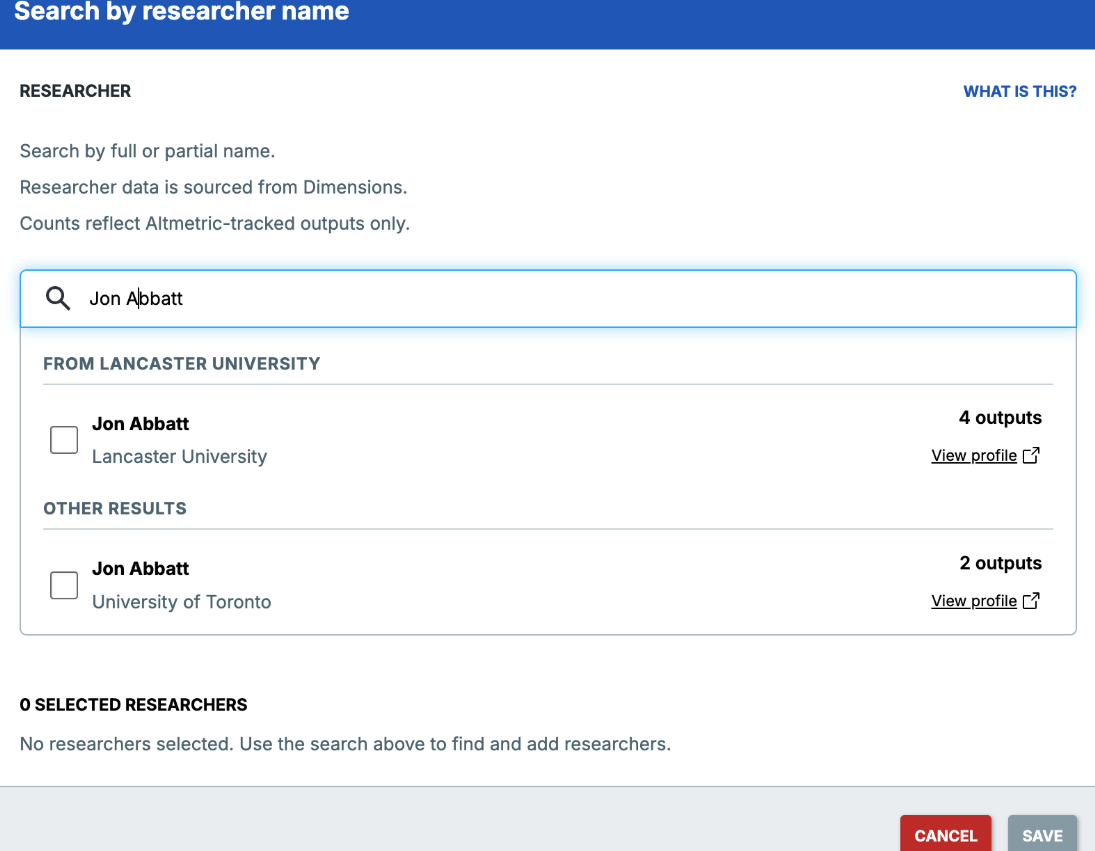
A pop-up allows you to search for researchers by name or by Dimensions researcher ID. Each result shows the researcher's current affiliation and a count of Altmetric-tracked research outputs associated with their profile, giving you more context before you commit to a selection. You can also use the Dimensions profile link to review a researcher's full record.
Once you've selected the correct researcher, you can add them to your search query and combine it with other filters.
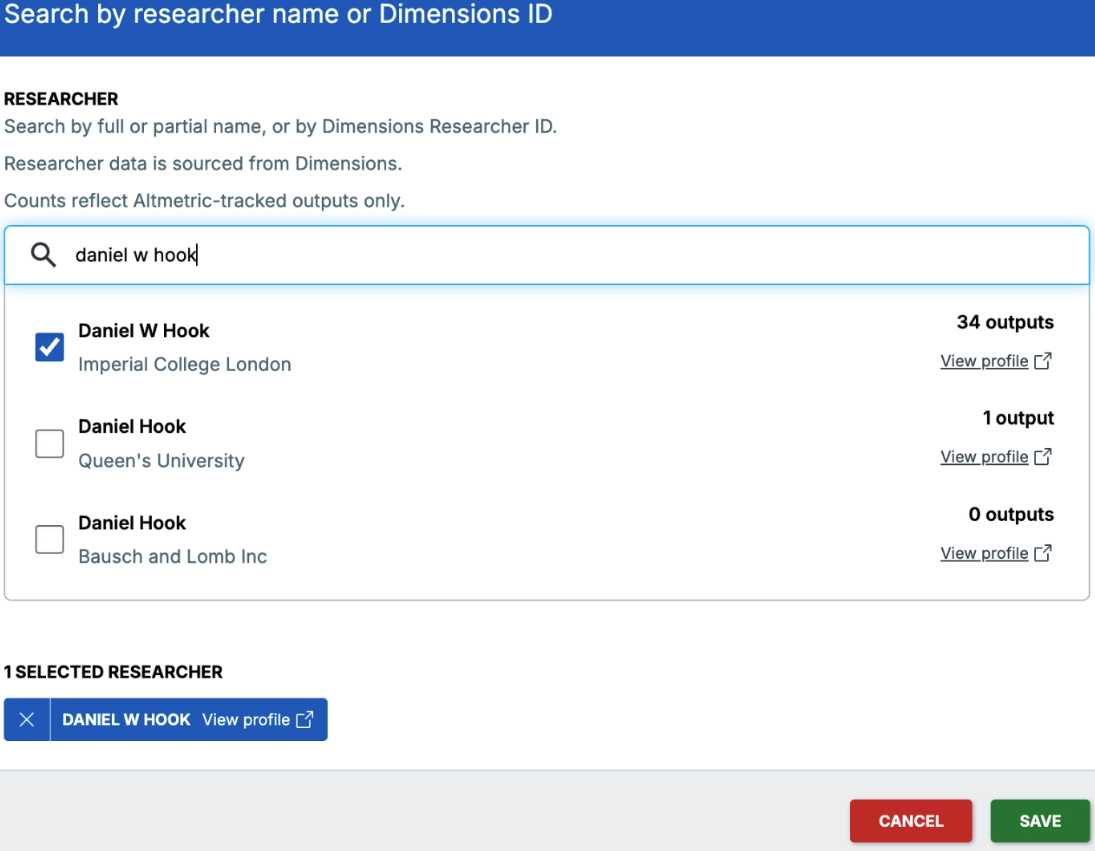
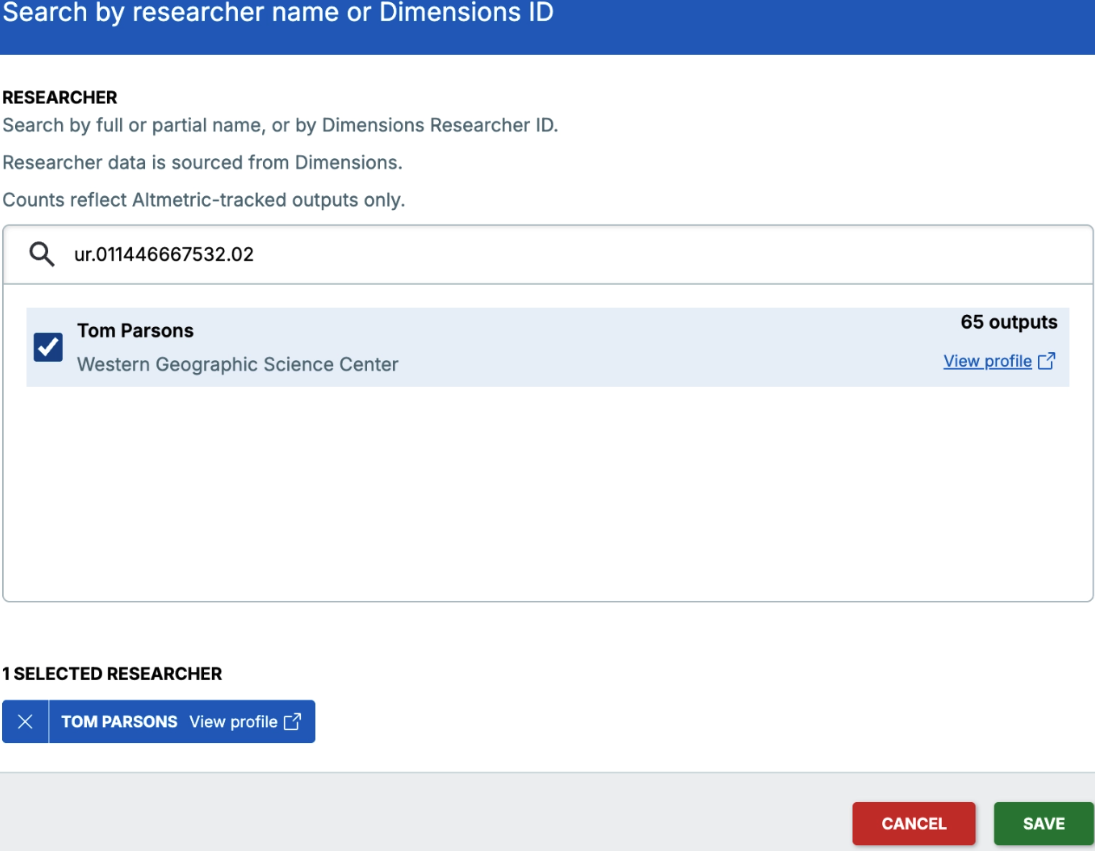
Depending on how your organization is set up in Altmetric, profiles affiliated with your organization may be surfaced automatically at the top of the list, split into two groups: your organization first, then everyone else. If you are not seeing this and would like to find out more, please contact the Altmetric Support team.
Viewing Results
After you apply your search, the Highlights tab will show you all the data and outputs related to that specific researcher. You can also view a timeline of the aggregated attention or explore individual mentions of their work.
From the Outputs tab or the Details Page of a publication, you can follow links to explore a researcher’s other outputs and attention within Altmetric Explorer.