
Introduction to the Explorer API
The Explorer API lets you pull the same research output and attention data you see in the Explorer, in JSON format, so it can feed into your own dashboards, visualizations, or reports. It's essentially the same data as a CSV export, but the API lets you query it programmatically and check for updates automatically.
For institutional customers, this also covers your imported data, so you can search by department, author, or institutional output. You'll need some programming experience to use it.
For the technical details - endpoints, parameters, and code samples - see the Explorer API documentation.
If you're not yet sure the Explorer API is the right fit for your team, our Altmetric API page covers how it compares to our other API options.
Accessing it from within the Explorer
Hover over the "Export This Tab" button and click "Open results in API."
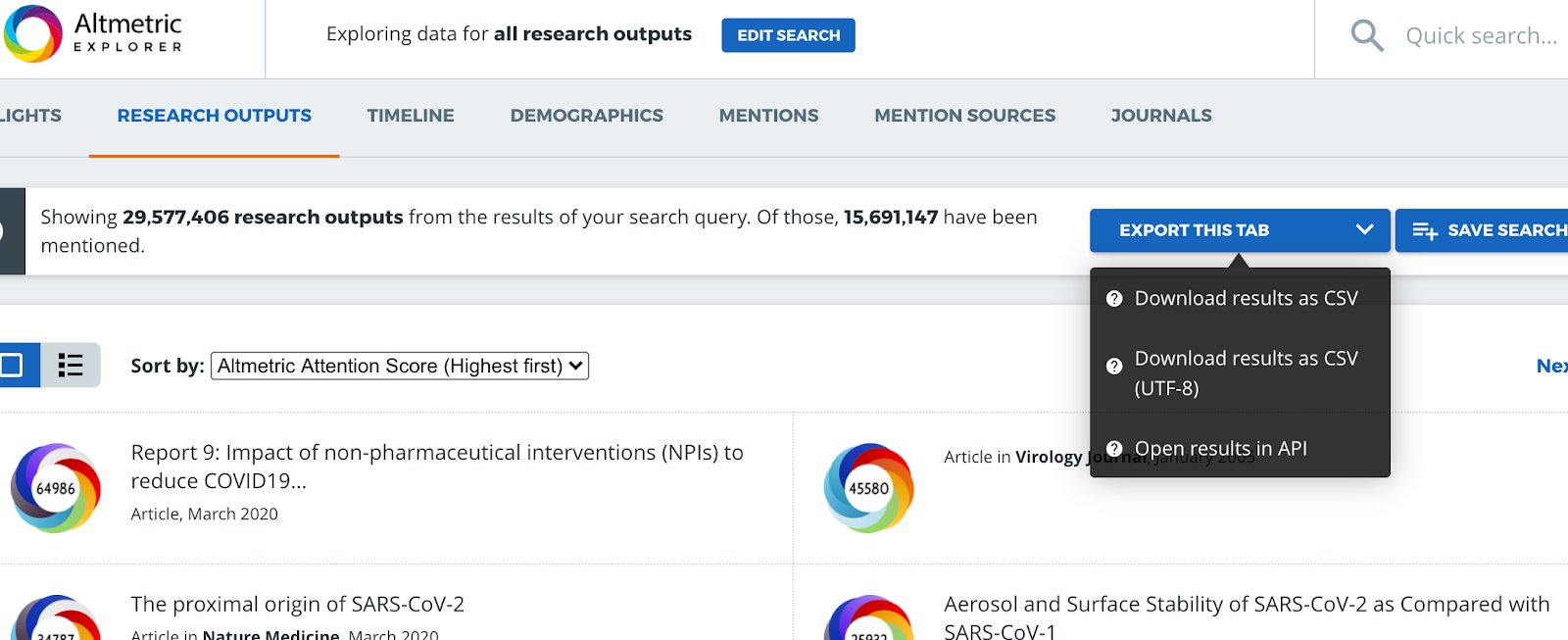
Users can build research output search queries using the Quick or the Advanced Search in the Altmetric Explorer, and then use the “Export this tab” button to view the information in the JSON format of the Explorer API.
Altmetric attention data from the Research Outputs tab, the Timeline tab, the Demographics tab, the Mentions tab, and the Journals tab can be viewed in JSON format.
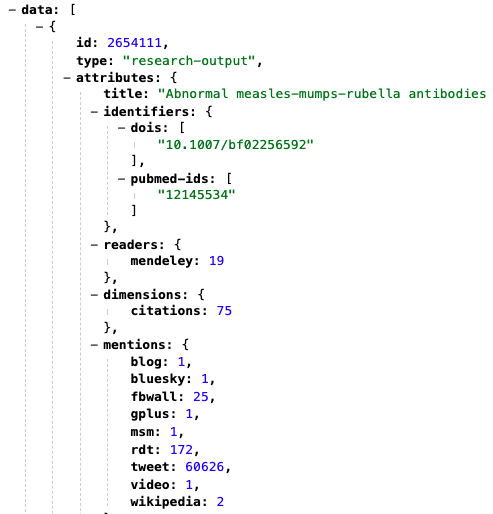
Building your own requests
More on using the Explorer API - including building your own requests in Python (API Client) - can be found in the Explorer API documentation. For a walkthrough of the endpoints and how they work from within the Explorer, see Using the Explorer API.