
Adding badges in Primo
Primo provides a free plugin that allows anyone with a Primo instance to add Altmetric institutional repository badges.
Once implemented these badges allow visitors to view the attention associated with a research output.
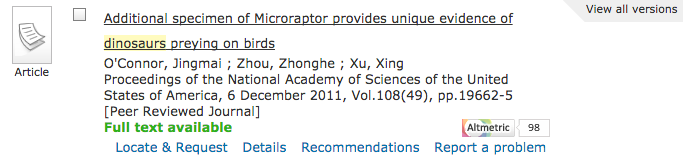
Accessing the Details Pages through the badges
Clicking on the Altmetric badge takes you to the Altmetric Details Page, which displays the mentions we've tracked discussing the output. The view will be limited to the first 4 mentions captured from each attention source.
If your organisation subscribes to Explorer for Institutions your users will see every single mention we've ever captured for the output. Get in touch if you'd like to find out more about subscribing to Explorer for Institutions.
Adding the badges with Primo
These instructions apply if you are adding Altmetric badges to your Primo pages for the first time:
Load the script unconditionally: You do not need to check if Altmetric data exists first.
Use the DOI: When configuring the badge in your Primo customization code, ensure you use the data-doi attribute.
Automatic Hiding: Ensure the badge attribute data-hide-no-mentions="true" is included. If the DOI is not tracked by Altmetric, the badge will simply not appear on the page.
When configuring the badge in your Primo customization code, ensure you instruct it to load using the DOI. You must use the data-doi attribute and set it to the DOI of the item. Do not use data-altmetric-id, as this relies on the authenticated API to retrieve the Altmetric ID.
Fixing the badges in Primo - Updates for existing implementations
We are aware that, historically, some of the Primo instances displaying Altmetrics have been using an unauthenticated call to the Altmetric Details Page API.
As of 10 November 2025, all Altmetric Details Page API requests require an authentication key. Therefore, existing implementations to display Altmetrics on Primo records through a call to the API are no longer supported. To update your implementation and restore Altmetrics on your Primo records, please follow the suggestions below.
Implementation based on the documentation on the ExLibris Tech Blog
The old code typically includes a call to https://api.altmetric.com/v1/doi/ to check for data existence. This call now fails without a key.
How to fix:
Remove the API call: Delete the code that calls api.altmetric.com.
Load the script directly: Update your code to load the
embed.jsscript for every record.Update the load command: Use the following command: angularLoad.loadScript('https://embed.altmetric.com/assets/embed.js');
Implementation based on the Primo Studio Metrics add-on available on GitHub
If you used the Primo Studio Metrics add-on, your implementation is likely trying to fetch an altmetric_id before displaying the badge.
How to fix:
Remove the pre-check: Delete any logic that calls the Altmetric API to check for data.
Update the Script URL: Use this specific URL for the script: vm.embed_js = 'https://embed.cloudfront.net/assets/embed.js';
Update the Template: In your altmetrics.template.html file:
Replace data-altmetric-id="{{$ctrl.altmetric_id}}" with data-doi="{{$ctrl.doi}}".
Remove ng-if="$ctrl.altmetric_id". (The badge will now handle its own visibility based on whether mentions exist).
Note: If you experience any issues with these updates, please contact the Altmetric Support team for assistance.