
Explorer filters: Search by affiliations
Author affiliations data are supplied to Altmetric by Dimensions and matched to individual research outputs. Organization data now comes directly from the Dimensions organization database, replacing the legacy GRID classification. This means organization names in Altmetric stay in sync with how organizations are named across the rest of the Digital Science portfolio.
Individual departments within organizations are generally not supported unless they have their own entry in the Dimensions organization database.
How does affiliation search work?
You can search by institution name, acronym, alias, or multilingual name. For example, searching “MIT” will return Massachusetts Institute of Technology and its subsidiaries; searching “WHO” will return the World Health Organization. The autocomplete matches against the full range of names an organization is known by.
Parent organizations and subsidiaries
Organizations are displayed in the autocomplete with their subsidiaries nested underneath. Note that the search results match the search term entered, and will only display subsidiaries whose names include the search term. Select an organization to view all its subsidiaries, regardless of the search term match.
Each result shows the number of Altmetric-tracked research outputs associated with that organization, so you can see how much coverage exists before making a selection.
Selecting a parent organization automatically includes all its subsidiaries in your search results.
If you need to filter to specific subsidiaries only, select them individually without selecting the parent.
Is affiliation information available for other output types, such as datasets?
At this time, our affiliation information is available only for journal articles.
Quick search
In the Quick Search, you can type in the name of an institution, acronym, or alias, and see a list of matching suggestions. You no longer need to know an exact full name or GRID ID to get results.
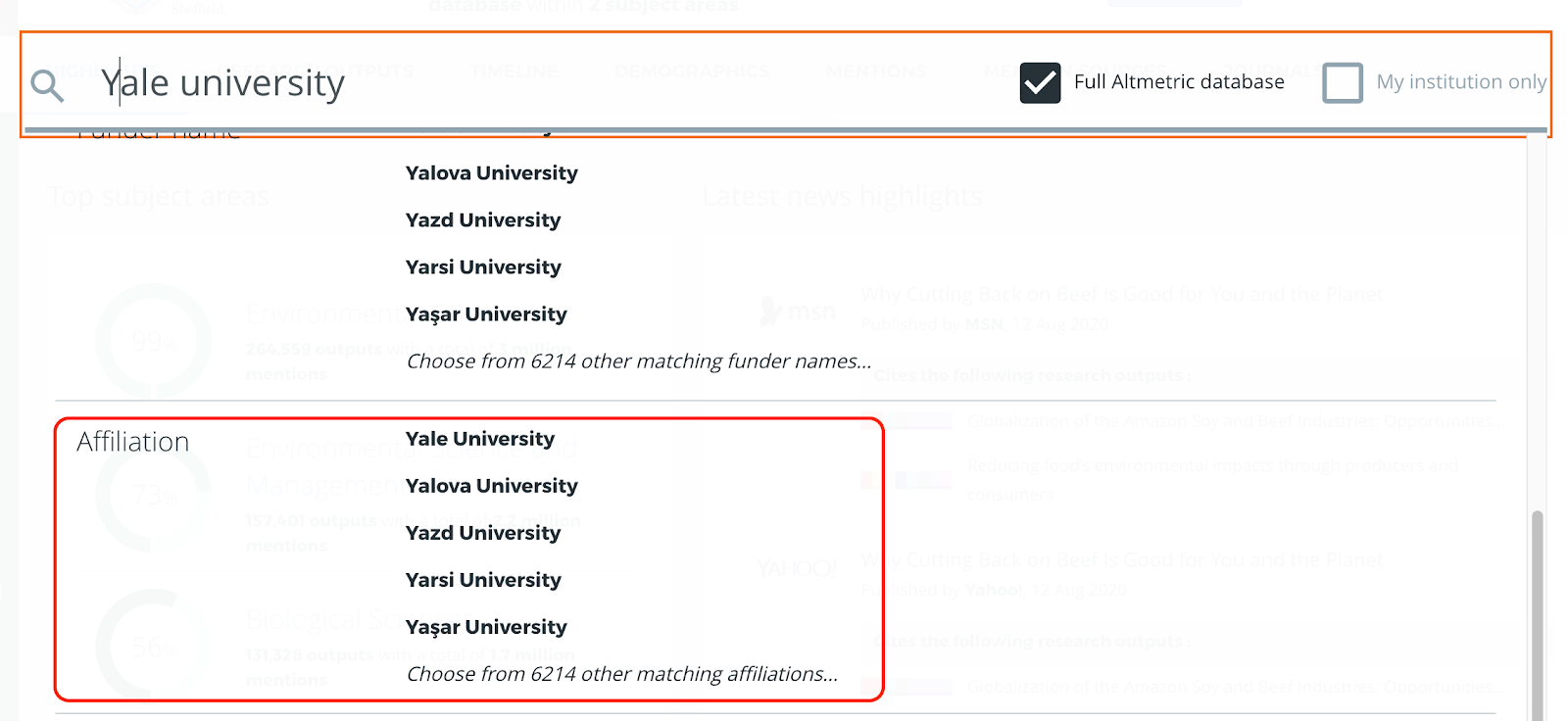
Advanced search
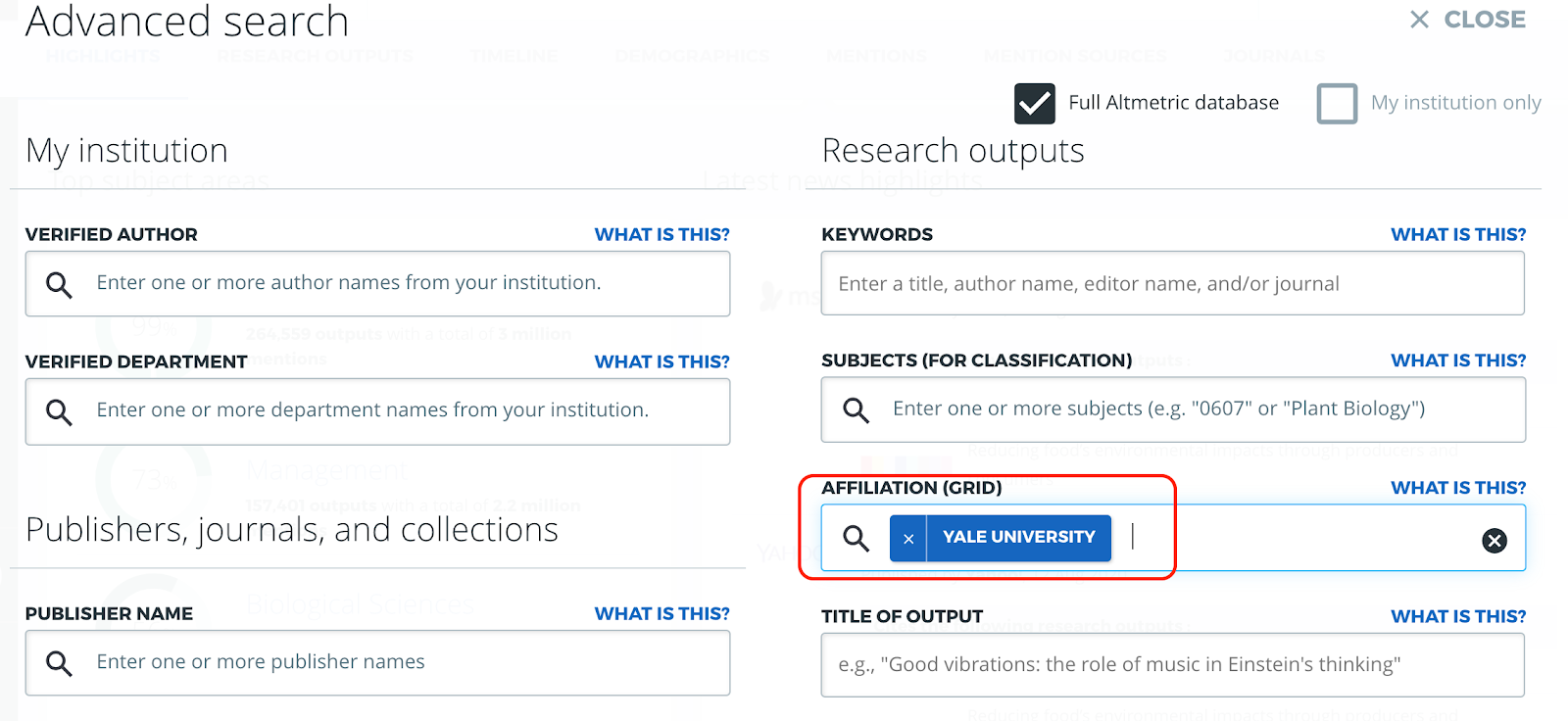
In the Advanced Search, you can select one or more institutions by name, acronym, or alias to create a more detailed search query. Use the parent-child hierarchy in the autocomplete to include or exclude subsidiaries as needed.
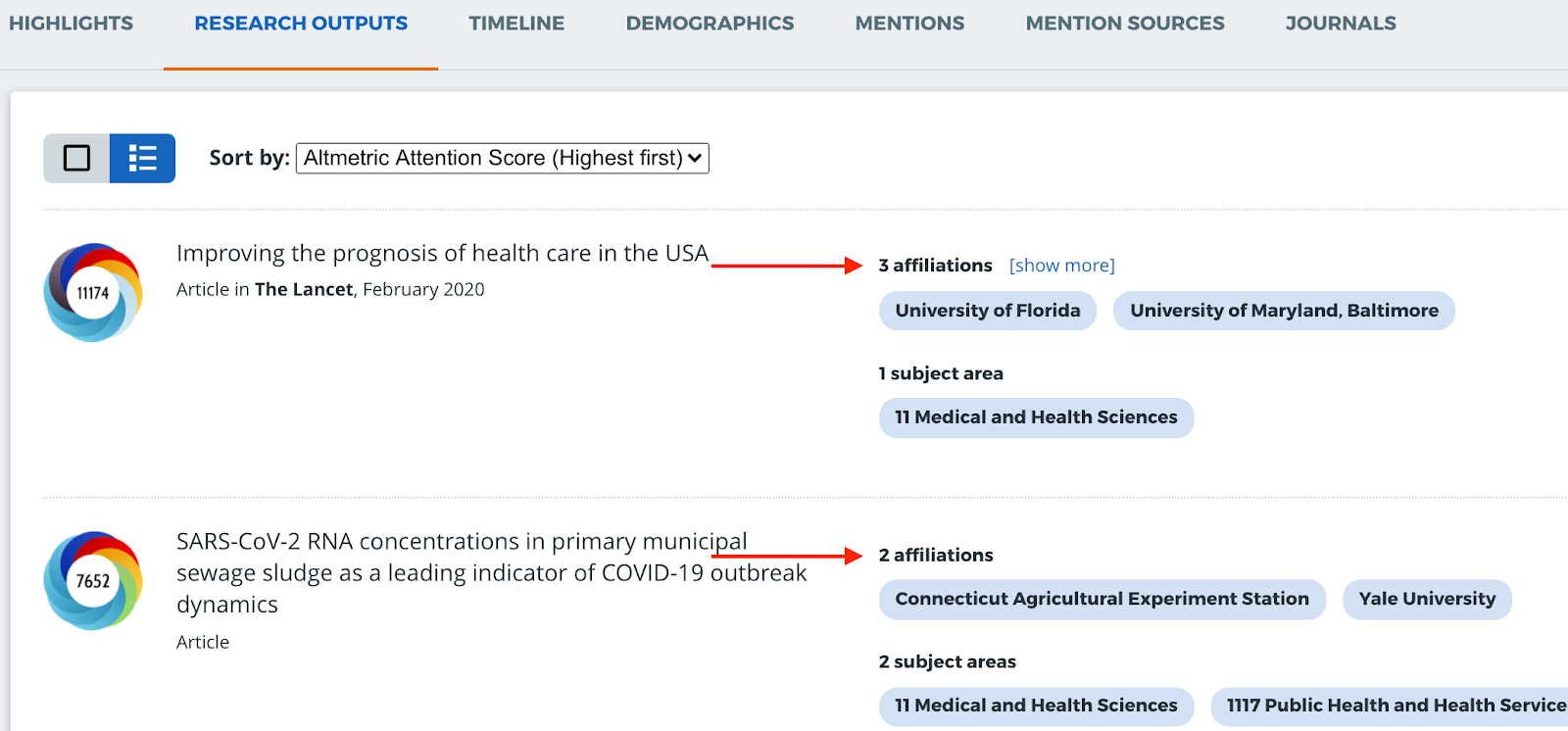
In the Research Outputs tab, you can also view the affiliations for individual research outputs in your search results - simply switch to the ‘List view’ of the Research Outputs tab to view these affiliations.
How do I view the top affiliations for my search?
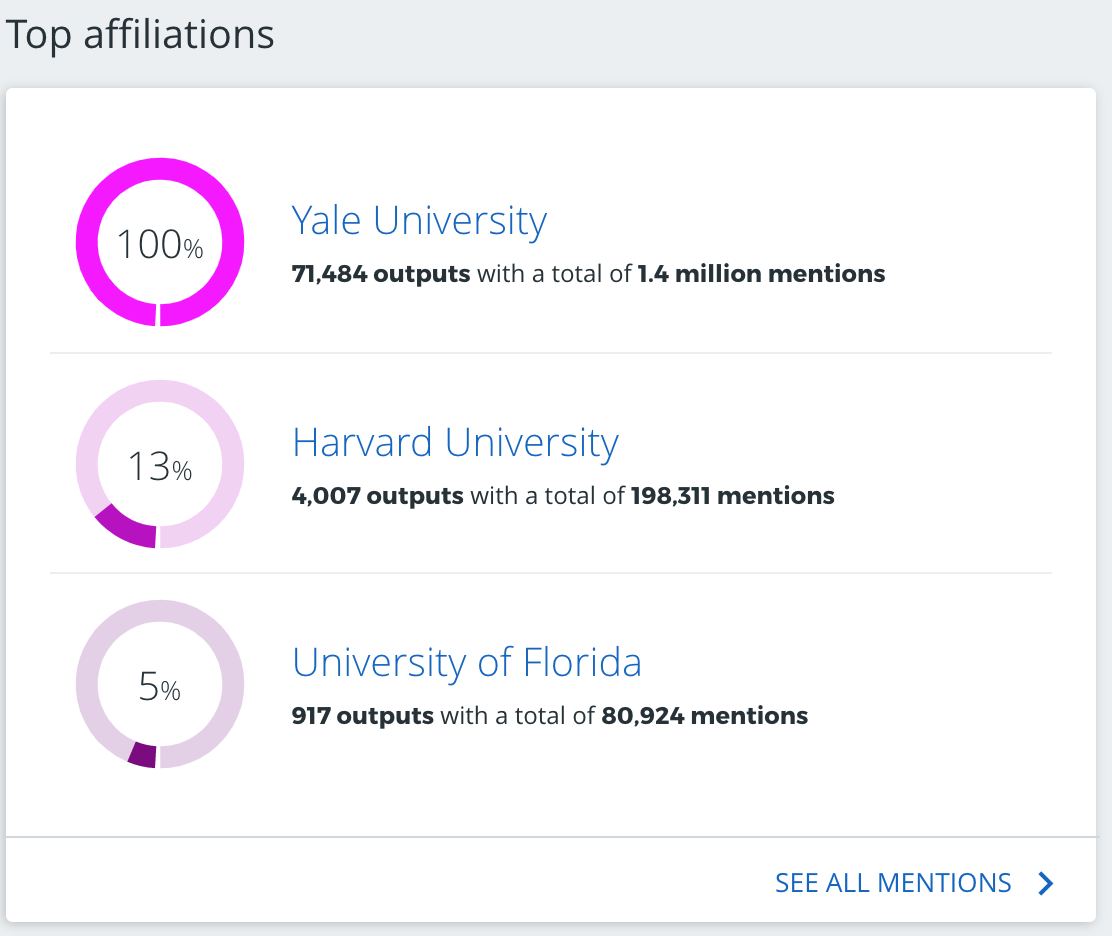
The Highlights Tab will also show up to 3 institutional affiliations whose research outputs have the most mentions, for any given search query.
The top 3 affiliations are determined by identifying the organizations whose outputs hold the greatest share of attention within the given search query. The percentages are calculated by taking the total number of mentions associated with outputs from those institutions, and dividing by the total number of mentions in the search query.
How do I export affiliations data from the Explorer?
From the Research Outputs and Mentions tabs, you can also export the affiliations data using the CSV exports and the Explorer API.
What if I can’t find an organization?
The autocomplete displays organizations that have research outputs tracked in Altmetric. If an organization doesn’t appear in search results, it may mean Altmetric doesn’t currently have tracked outputs associated with it, or that the name you’ve entered doesn’t match any of the names, acronyms, or aliases on record. Try searching by acronym or a shorter version of the name if you’re not finding what you expect.
Saved searches
Existing Affiliation filters in saved searches continue to work without any changes needed.